 kudhub
Connections
Give your assistant access to selected sources. You control the permissions in Connections in account management.
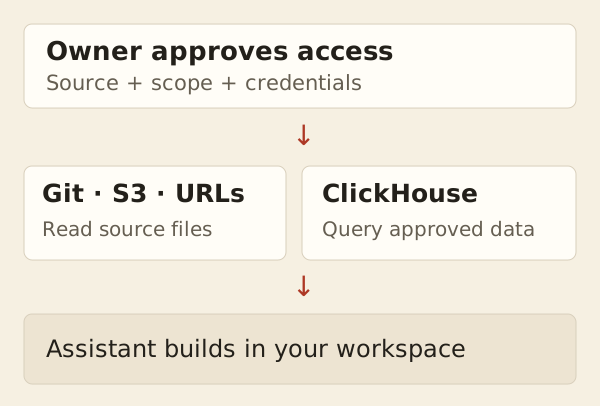
| Source | What you choose |
|---|---|
| Git | Repository, branch, and folder |
| S3 | Bucket and optional folder prefix |
| ClickHouse | Database and a read-only user |
| Public URL | Approve or revoke a registered file |
Disabling access stops new reads. Copies already saved in your workspace remain available.
Ask your assistant: “Use the approved sales source to prepare this month's report.”
See source files or query tables.
Technical details
Settings and credentials
Only the owner changes connections. New Git, S3, and ClickHouse connections start with access enabled; the owner can clear Enable connection before saving. Names are permanent and unique across providers, including disabled connections; urls is reserved. Saving makes no network request. Editing or disabling a connection cancels active access. Workspace recovery cannot restore credentials or permissions.
| Source | Setup detail |
|---|---|
| Git | HTTP(S) repository, branch, approved directory. Blank credentials retain saved values only for the same repository. |
| S3 | Endpoint, signing region, bucket, optional prefix. Supports anonymous access or static keys; management checks bucket versioning. |
| ClickHouse | Use a restricted read-only user. Blank credentials retain saved values only when endpoint and default database are unchanged. Website queries are enabled by default. |
URL permissions
Registrations are approved by default. An exact permission applies to one registration; an origin permission covers its scheme, host, and port, including all paths and queries. Exact revocation overrides origin approval. Removing and re-adding a file creates a new registration. Agents cannot re-enable a revoked grant.
Reads and retained results
Mounted-file queries use the same grants in agents and dashboards. Revocation also blocks historical and cached source reads. Saved local copies remain; cached website output may remain until expiry. See source files for refresh and historical behavior.
Agent reference: kud connection help.