 kudhub
Background jobs
Let a long analysis run separately while other work continues.
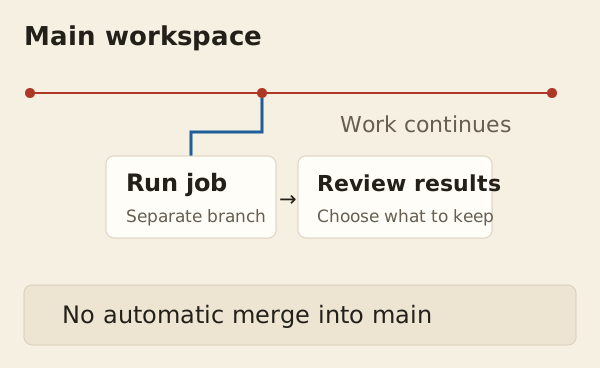
“Analyze these files in a background job. Check the totals before copying the results back.”
- Your agent starts a separate job from the current workspace.
- It checks progress and output; you can ask it to cancel.
- It validates the results, then copies selected work back or uses it in a dashboard.
Results are not merged automatically. Jobs continue after disconnection, but unfinished jobs stop on a server restart.
Technical details
Execution and limits
Each job runs one program on a new branch, starting from current main unless another revision is selected. It has a fixed deadline, longer SQL timeout, and bounded output. Exceeding the output limit stops the job and marks its output incomplete.
Keep or clean up
Copy validated files or rows to main, or pin a dashboard to the successful result revision. Cleanup removes the job record, output, and branch name; retained revisions remain in history. Switch away from the branch before cleaning it. Job branches have no automatic expiry, and interrupted jobs are not replayed after restart.
Agent reference: kud job help; validation workflow: kud guide refresh.