 kudhub
Query files and databases
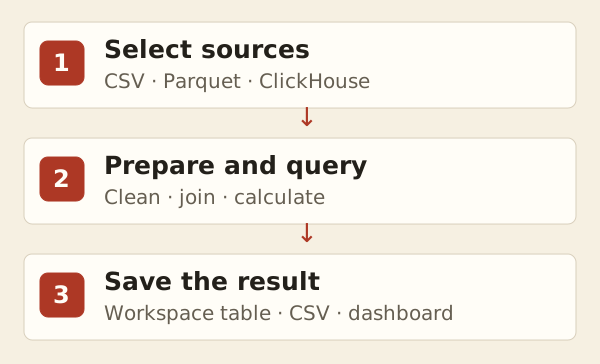
Your assistant can query CSV, Parquet, or approved ClickHouse data without importing a copy first.
“Join these CSV files with the customer table. Save the result for our month-end report.”
- Choose sources: files already in the workspace or approved connections.
- Explain columns: especially numbers, dates, and identifiers.
- Keep results: save a workspace table when the report must be reproducible.
Remote data is live. Restoring an old query definition does not restore old remote rows or permissions.
See Connections for access and source files for refresh behavior.
Technical details
File schemas
- CSV requires headers and defaults to text; identify numeric columns explicitly. Fields match by position: missing fields become NULL; extra fields are ignored.
- New matching files join the table automatically, but its columns stay fixed. Recreate the definition to change them. Parquet schema changes fail explicitly.
- Select mounted files explicitly; ordinary workspace patterns exclude remote mounts.
Definitions and results
Changing a ClickHouse endpoint or default database requires recreating affected query tables. Removing a definition leaves source files, remote data, and saved results intact. Definition inspection reads saved settings, not source rows.
Query cost
Dashboard visits may run remote queries under connection permissions. For repeated reports, save results locally. For large joins, ask the agent to profile a materialized lookup; this can avoid repeated CSV parsing within that query.
Agent reference: kud vtable reference; workflows: kud guide prepare and kud guide analytics.